
Detection & use case library
The SAFVR detection and use case library
The SAFVR detection library lists the safety and operational use cases the AURA engine runs on the CCTV cameras you already have. It covers 98 use cases in 12 families, from PPE and vehicle traffic to SOP sequence checks and productivity, across manufacturing, construction, energy, mining, aviation, pharma and more.
- Use cases
- 98
- Families
- 12
- Site types
- 9
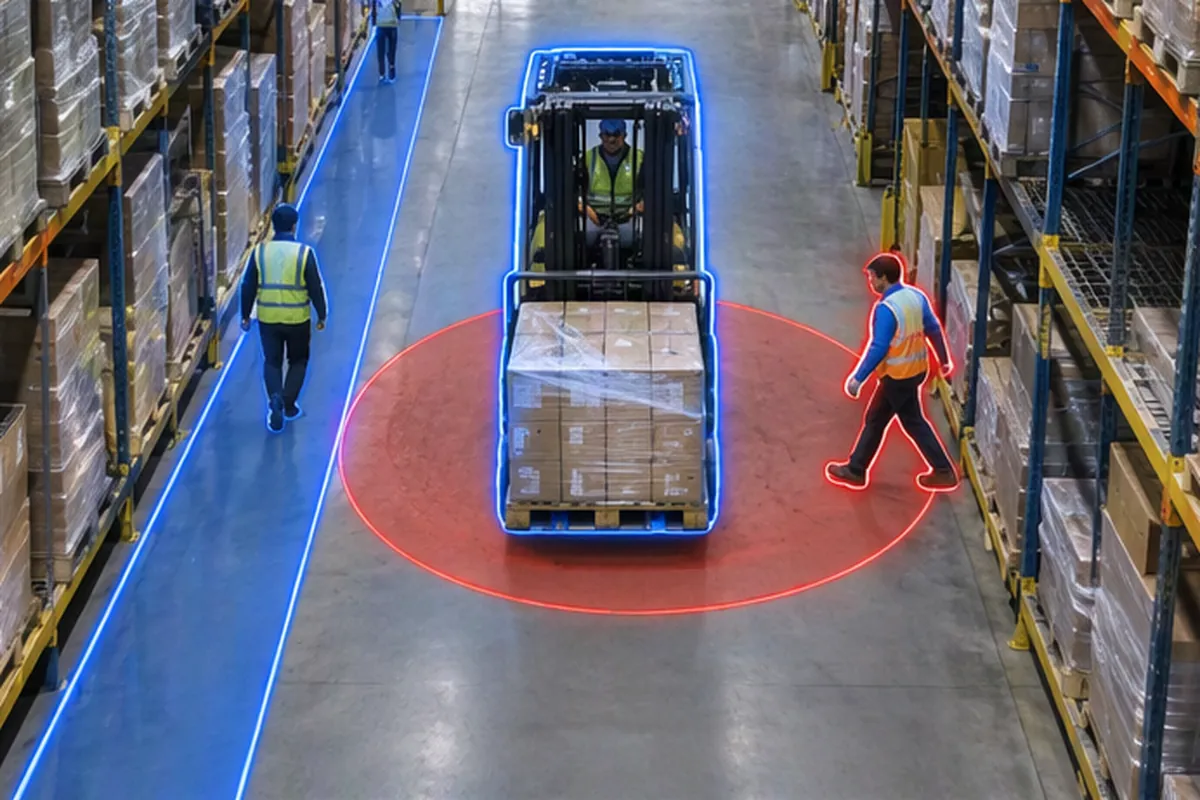
Vehicle and pedestrian proximity
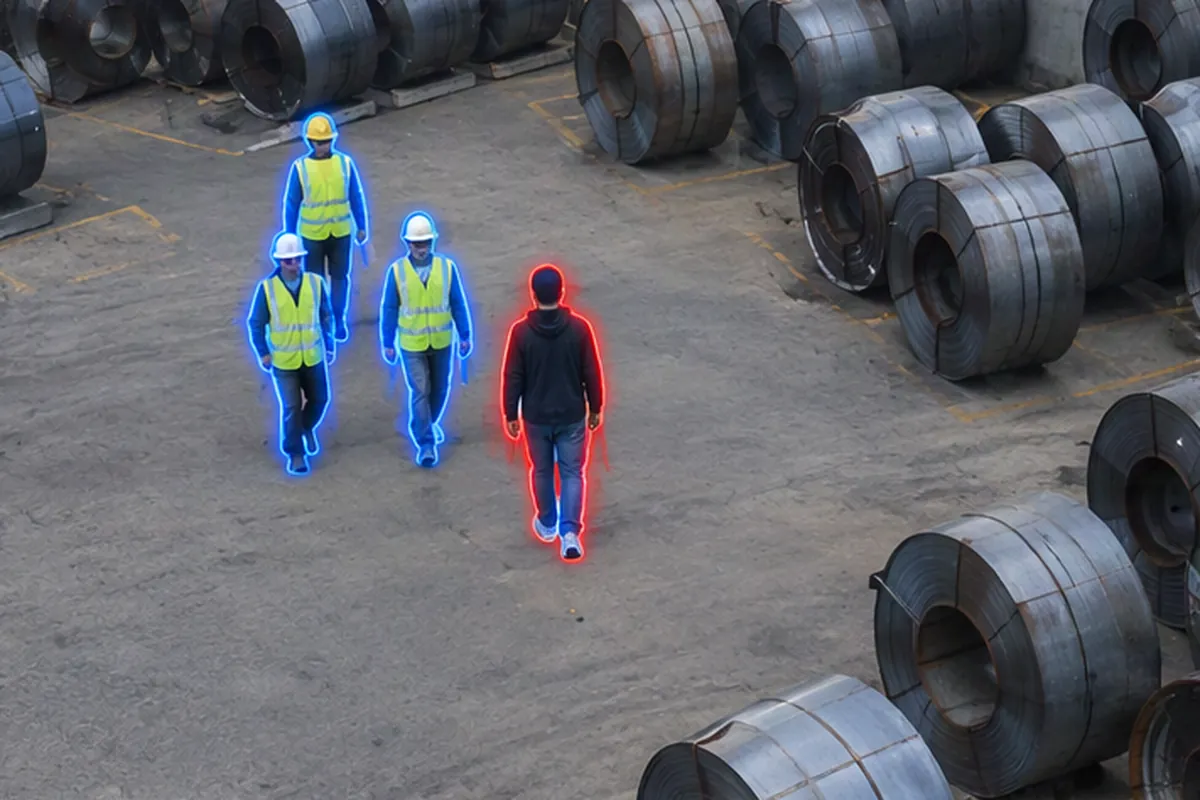
Hard hats
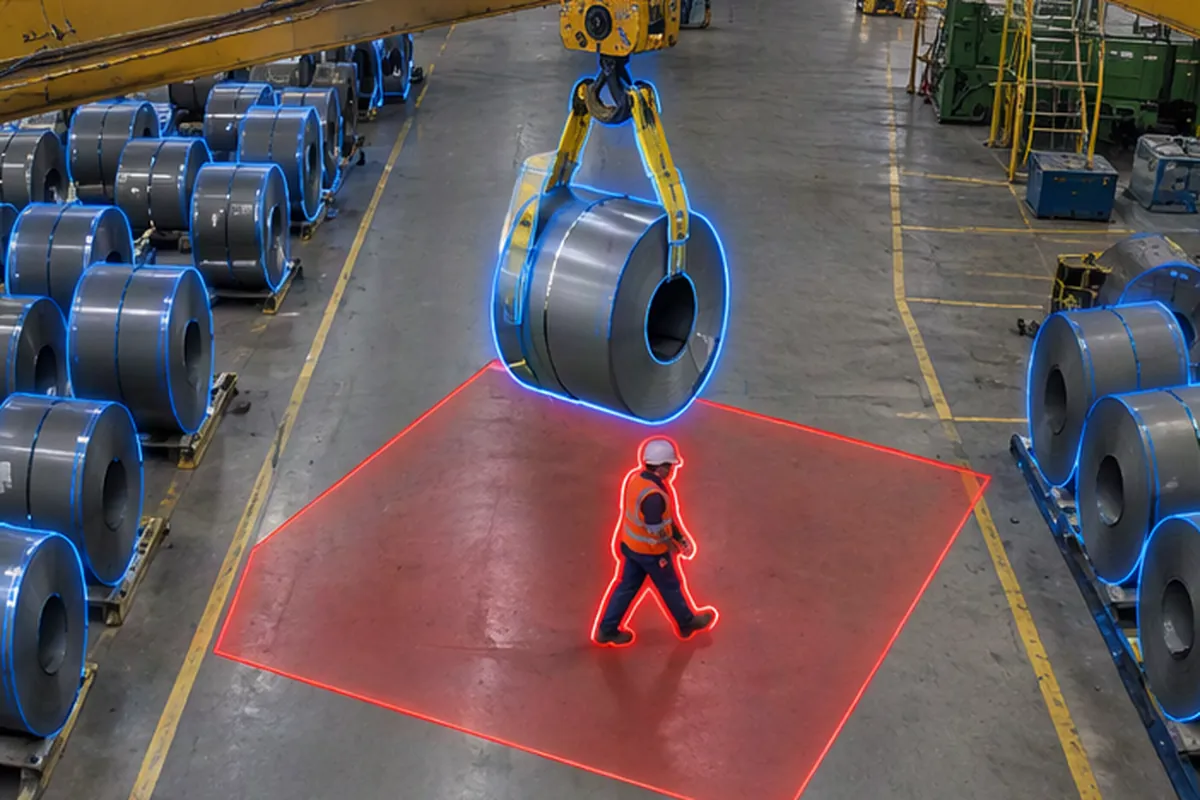
People under suspended loads
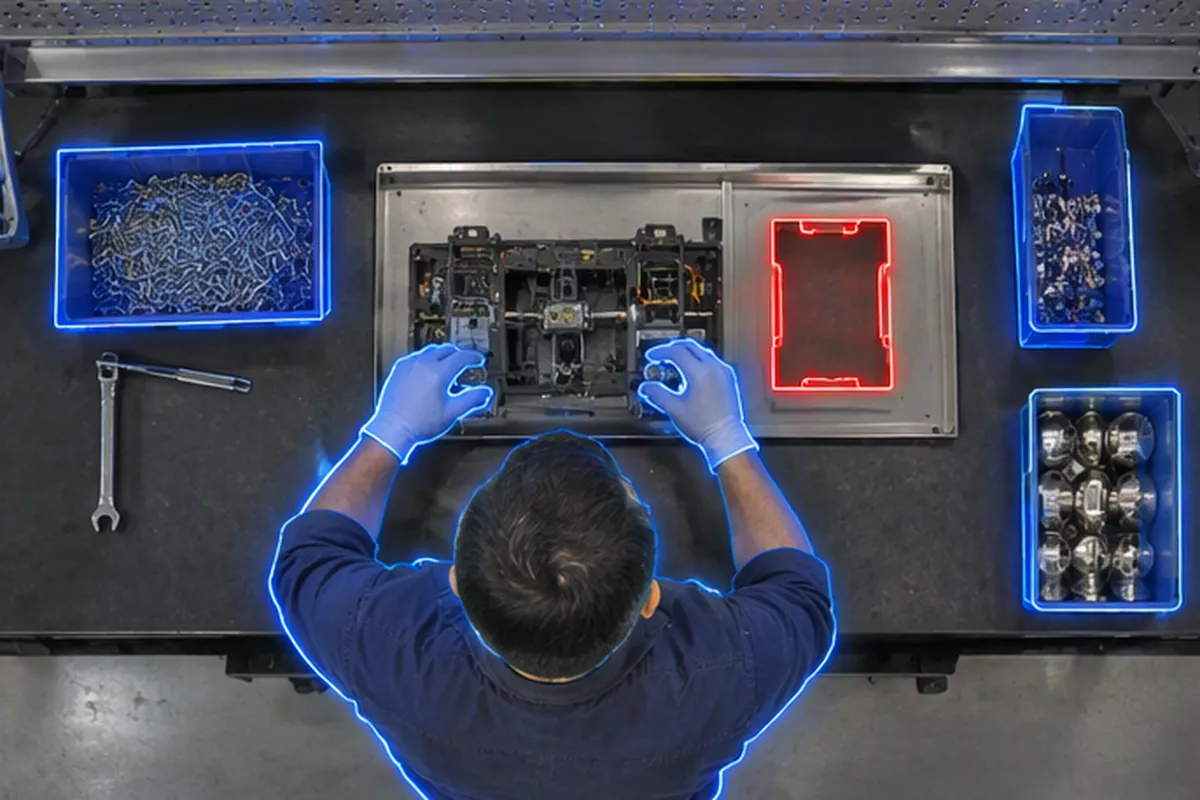
Assembly step verification
Twelve families, one camera network
Safety families follow the way people get hurt, so they read the same on a factory floor, a construction site, a refinery or an apron. Operations families cover procedures, quality, productivity and site health.
Safety
Hazards, unsafe acts and unsafe conditions, grouped by the way people get hurt.
Mobile Equipment & Traffic
Forklifts, trucks, haul vehicles and ground equipment around people on foot.
8 use cases
Line of Fire & Lifting
Suspended loads, crane swing, conveyors, rotating equipment and drop zones.
6 use cases
Work at Height & Excavations
Edges, scaffolds, ladders, harnesses, trenches, pits and stockpiles.
8 use cases
Energy Isolation & Machine Safeguarding
Guards, danger zones, robot cells, LOTO, E-stops and electrical panels.
8 use cases
Hot Work, Fire & Confined Space
Fire, smoke, sparks, fire watch, smoking, gas cylinders and confined spaces.
8 use cases
PPE Compliance
Hard hats, hi-vis, eye and face, respiratory, gloves, footwear and hearing.
9 use cases
Access, Zones & People
Restricted zones, occupancy, lone work, person down and unsafe acts.
11 use cases
Site Conditions & Emergency Readiness
Spills, trip hazards, blocked exits, fire equipment, stacking and debris.
11 use cases
Operations
Procedures, quality, productivity and site health, on the same cameras.
SOP & Sequence Monitoring
Gowning, assembly steps, line clearance, loading, isolation and permits.
9 use cases
Quality & Process Compliance
Hygiene attire, clean zones, cold chain, 5S and material control.
7 use cases
Productivity & Flow
Coverage, queues, flow, jams, utilisation, turnaround and cycle time.
8 use cases
Site Security & System Health
After-hours intrusion, material removal, forced doors and camera health.
5 use cases
One camera, many jobs
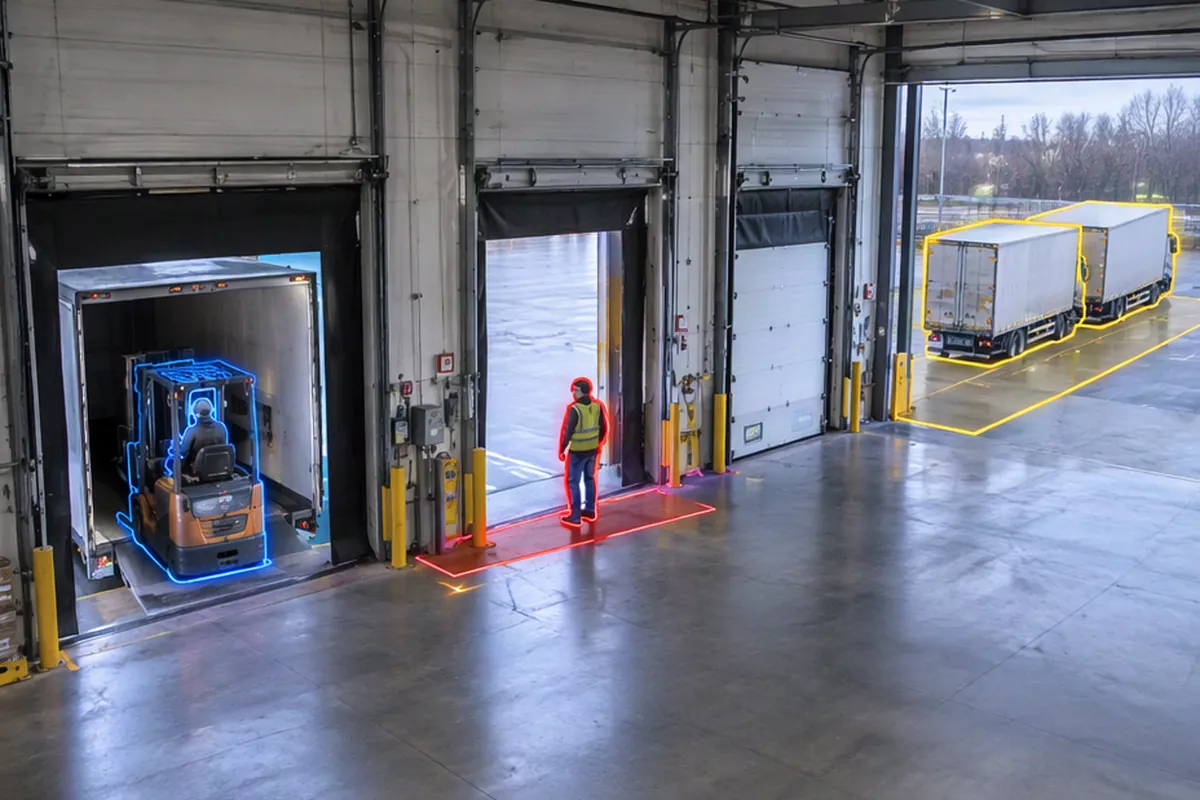
Pick a site and click a camera. Each view runs the safety and operations use cases that fit it, so the camera at the dock can check hi-vis, watch for close calls and time every truck turnaround at once.
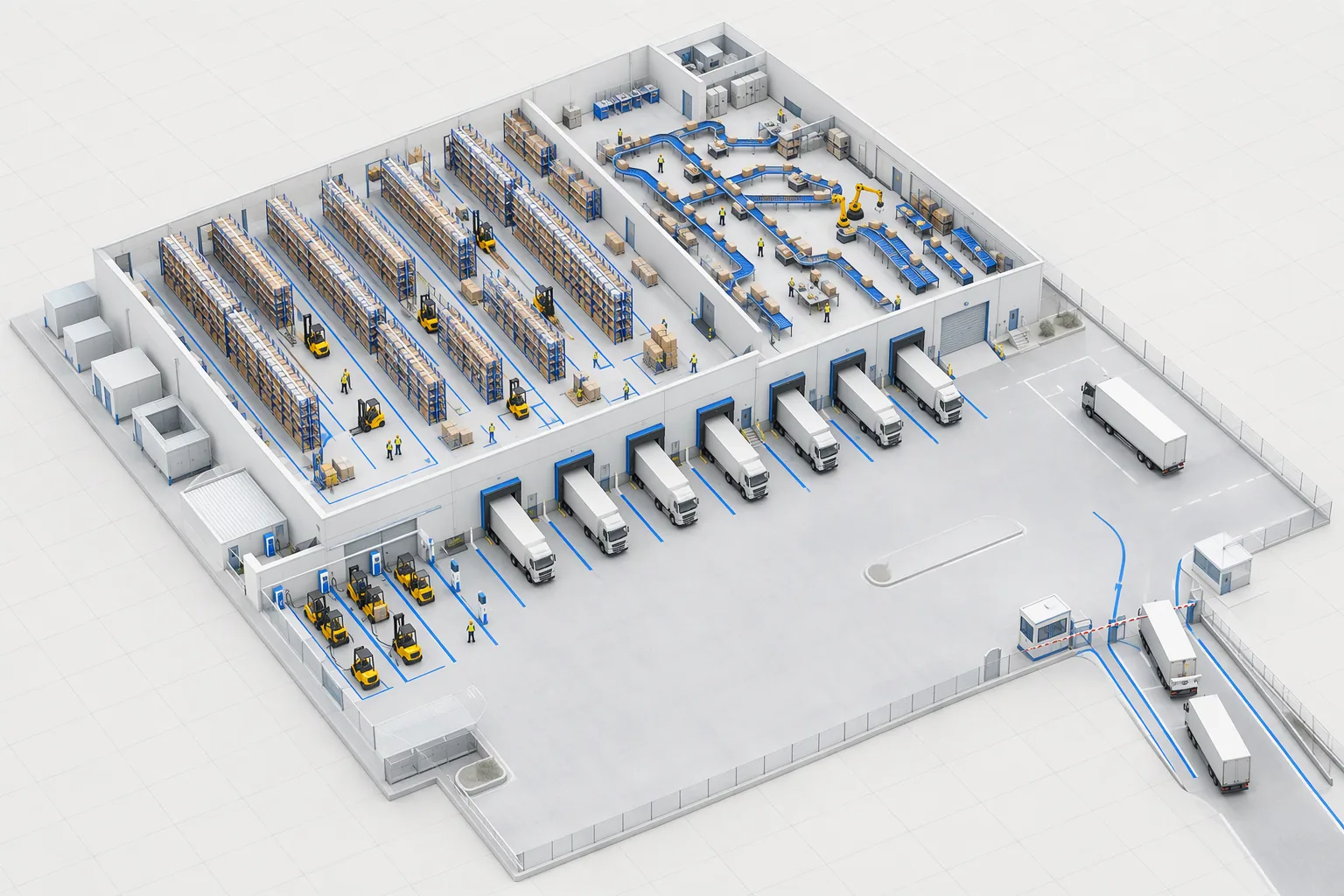
Camera 02 · Warehouse
Loading dock
Trucks, forklifts and people meet at the dock doors.
5 safety · 3 operations
Safety
Plans are illustrative. On a real site we match each camera to the use cases that fit its view during onboarding. Every use case is listed in full on its family page above.
The job decides what the camera looks for
AURA reads context from the systems you already run: your permit-to-work system, your HSE platform, and the work orders in Slack or Teams. So the right use cases switch on for the work that's actually happening.
Example: hot work permit, Bay 3
- 01A hot work permit is issued for Bay 3.
- 02AURA reads the permit and works out the controls that job needs.
- 03The camera over Bay 3 checks for a fire watch, cleared combustibles, welding screens and hot work PPE.
- 04Neighbouring cameras know the job is live, and alerts reference the permit.
From detection to prevention
Every use case runs inside the AURA loop. A detection is only the start: the value comes from what happens next.
- 01
Detect
AURA watches each camera for the use cases you switch on, with zones, lines and rules drawn for that view.
Detect on the platform - 02
Act
Alerts reach the right person with a snapshot and clip, and become tracked actions that get closed out.
Act on the platform - 03
Improve
Events feed micro-training and toolbox talks built from your own footage, so lessons stick.
Improve on the platform - 04
Prevent
Trends by area, shift and task show where risk is building, so you can fix it before the next incident.
Prevent on the platform
Questions about the detection library.
- What is the SAFVR detection library?
- It's the list of safety and operational use cases the AURA engine runs on your cameras: 98 use cases in 12 families, from PPE and vehicle traffic to SOP sequence checks and productivity. Each use case is a rule AURA applies to a camera view.
- Do I need new cameras?
- Most use cases run on the IP CCTV cameras you already have. A few, marked Camera + sensor, pair the camera with a gas, heat, noise, access control or wearable signal so the alert is confirmed by both.
- Does SAFVR use facial recognition?
- No. SAFVR doesn't use facial recognition. Use cases look at behaviour, PPE, zones, equipment and process steps, and productivity is reported by area, station or shift, never by person.
- How are use cases switched on for a site?
- During onboarding we match each camera to the use cases that fit its view, draw the zones and lines, and replay recorded footage to check alert quality before anything goes live.
- Can SAFVR detect something that isn't in the library?
- Yes. If your site has a specific hazard or procedure, we can build and validate a custom detection for it during a pilot.
READY TO SEE IT ON YOUR CAMERAS?
Point AURA at one camera.
Watch it detect what walkthroughs miss.
30 days. Your existing CCTV. Nine hazard categories live on day one — PPE, fall risk, vehicle proximity, restricted zones, and more. You see real detections from your floor before you commit to anything beyond the pilot.
No new hardware. Existing IP cameras work. Setup in days.